Creating a Shared Shopping List That Stays Useful

A shared shopping list stays useful when it is easy to add to, clear enough to shop from, and trusted by everyone who uses it. The goal is not to build the most detailed list possible; it is to create one reliable place where household needs, work supplies, or team purchases are visible before someone buys the wrong thing twice.
Whether you are coordinating a family kitchen, a small office, or a shared project space, a practical system reduces forgotten essentials, duplicate purchases, and last-minute messages. The best setup has clear ownership, simple categories, and a short routine for keeping it current.
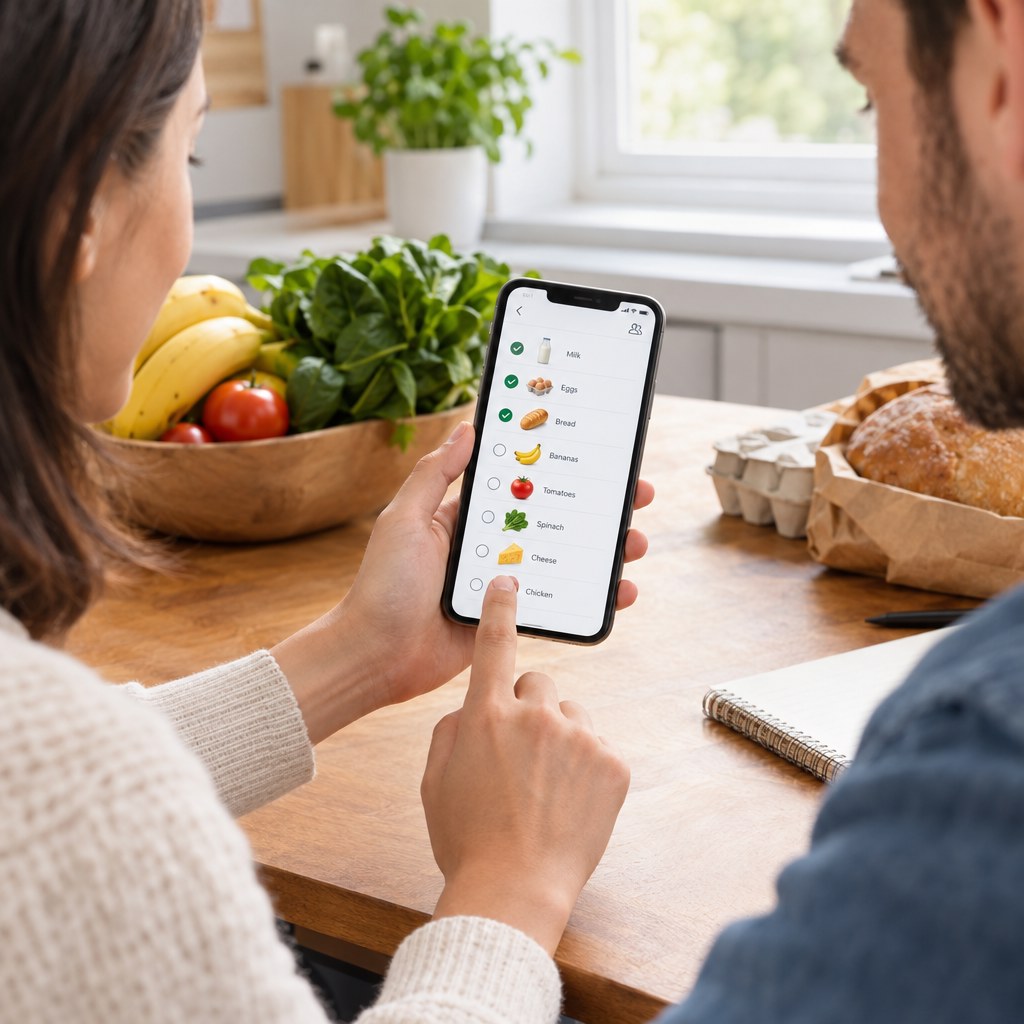
Choose a format people will actually use
The right tool is the one your group will open at the moment a need appears. A paper list can work well in a single household where everyone passes the same location. A shared notes app, shopping-list app, or team workspace is often better when people are away from the space, shop separately, or need notifications.
Do not choose a tool because it has the most features. Choose it based on access, speed, and visibility. If one person cannot edit it easily, or if the list takes several steps to find, they will create another note instead.
For a small business, separate everyday consumables from purchases that require approval. For example, cleaning supplies and printer paper might be available for anyone to add, while equipment or higher-cost materials go into a separate request list. This distinction keeps a routine shopping list fast without bypassing your purchasing controls.
Build a list that is easy to shop from
Start with a single master list, then give it a predictable structure. Categories reduce the mental work of reading a long stream of unrelated items. They also make it easier to check what you already have before leaving for the store or placing an order.
Use categories that match how you buy
Organize according to the store layout, supplier, or area of use. A home list might use produce, pantry, chilled food, household, and pharmacy. An office list might use kitchen, cleaning, stationery, packaging, and maintenance. Keep the category names familiar and avoid creating more categories than your group can scan quickly.
Set a minimum detail standard
Every item should include enough information for another person to make the purchase confidently. The standard can be simple: item name, quantity or size, and a preference only when it matters. Write “2 packs of black bin liners, large” rather than “bags.” Write “oat milk, 2 cartons” rather than “milk” if the preference is important.
- Add a quantity whenever more than 1 unit is needed.
- Include a brand, type, or size only when substitutes cause a real problem.
- Use a short note for constraints, such as “refill only” or “for client meeting.”
- Place urgent needs in a clearly marked section instead of scattering urgency labels throughout the list.
- Keep recurring staples in a separate template if they are purchased on a regular cycle.
A recurring template is especially useful for predictable supplies. It does not mean you automatically buy every item. It gives you a quick review list so you can add only what is running low. This prevents forgotten basics while reducing clutter in the active shopping list.

Make the list part of the routine
A list becomes dependable through repeated use, not through a perfect setup. Agree on a few operating rules before you start. Keep them visible in the list description or at the top of a paper page so new household members or staff do not have to infer the process.
A practical 5-step setup
- Choose one home for the list. Share access with every regular contributor and test that they can add and edit an item.
- Create 4 to 6 useful categories. Begin with broad groups based on your usual shop or supplier.
- Agree on the add-it point. For example, add an item when the final unopened unit is opened, not when the supply is already empty.
- Name the shopper or shopping window. If shopping rotates, record who is responsible this time or when the next order will be placed.
- Clear completed items immediately. Check off items during shopping, then archive or delete them after confirming the purchase arrived.
For teams, add a brief weekly review. It can take only a few minutes: remove obsolete requests, confirm pending purchases, and identify recurring stockouts. For households, attach the review to an existing routine, such as meal planning or checking the calendar before the main shop.
Avoid common mistakes and recover quickly
Even a well-designed list can drift. The important thing is to correct the process early instead of abandoning it. When duplicate items appear, unclear requests accumulate, or people return to private notes, identify the specific friction rather than adding more rules.
Too many duplicates
Duplicates often happen when people add similar wording, such as “tea bags” and “breakfast tea.” Pick one item name and merge requests during the regular review. If the items are genuinely different, make the difference obvious with size, type, or intended use.
Items stay on the list forever
Old entries make shoppers ignore the list. Set a cleanup point after every shop and a deeper review at a regular interval. If someone is unsure whether an item is still needed, move it to a “check before buying” section rather than leaving it in the main queue.
One person carries the system
If one person adds, clarifies, shops, and cleans everything, the list will eventually become a burden. Share simple responsibilities. You might rotate shopping, assign a weekly reviewer, or ask each area owner to add their own supplies. The system should distribute awareness, not just purchases.
Urgent requests overwhelm planned buying
Some urgent needs are unavoidable, but frequent emergencies signal that the reorder point is too late or stock levels are too low. Adjust the trigger for commonly used items. For business supplies, consider keeping a modest reserve of low-cost essentials where interruption would be inconvenient.
A simple decision framework
Use this framework when deciding whether your shared shopping list is working:
- Accessible: Can every relevant person find and update it in seconds?
- Clear: Can someone else buy each item without sending a follow-up message?
- Current: Are bought, cancelled, and outdated items removed promptly?
- Owned: Is it clear who will shop or approve a purchase?
- Proportionate: Does the system match the value and complexity of what you buy?
If the answer is no to any of these questions, improve that point first. A smaller, consistently maintained list is more useful than a detailed system people avoid.
Set up your list before the next shop
Choose one shared location, add your core categories, agree on the reorder point, and test the process with your next purchase. Review it after 1 week and remove anything that creates unnecessary friction.